
User guide
How Totem works, part by part. If you have not started yet, begin with getting started.
Projects and sessions#
The list on the left has your projects (folders) and, under each one, its sessions (conversations). A click on a project opens its latest session; + starts a new one; the menu ... offers a session with a name, a session in a git worktree, and removing the folder from the list (the files are never touched). A double click on a session renames it.
A session keeps everything: the messages, the files that changed, the model and the mode. You can come back to it tomorrow, fork it from any message to try another way, and delete it when you do not need it.
The agent and its tools#
The agent acts through tools, and only through them. Each call is checked before it runs.
| Tool | What it does |
|---|---|
read, glob, grep | Reads a file, finds files by name, searches their text |
write, edit, patch | Creates or replaces a file, replaces an exact piece of text, applies a patch of several files |
bash | Runs a command in the project folder, with a timeout. It can start a command in the background (a development server) |
job | Reads the output of a background command and ends it |
fetch | Reads a web page |
todo, ask | Keeps a list of steps; asks you a question when it needs a decision |
skill, task | Loads a skill; hands a task to a sub-agent with its own context |
Every path is resolved inside the project, symbolic links included: the agent cannot read or write outside of it. After a write, Totem runs the formatter that your project already has (a local prettier, gofmt, rustfmt, ruff) and its checks (node --check, tsc, go vet...), and gives what they find to the model so it fixes it in the same step.
You stay in control#
- Permissions. Reading is free inside the project. Writing a file, running a command that is not read-only, fetching a page and reading a
.envask first. A path outside the project is always refused. - Plan and Build. Plan refuses writes and commands in code, not in a prompt: whatever the model says, it cannot change anything.
- Auto-accept edits lets the changes of files through without asking, for that session. It never changes how commands or pages are treated.
- Always allow stores a rule for the project (
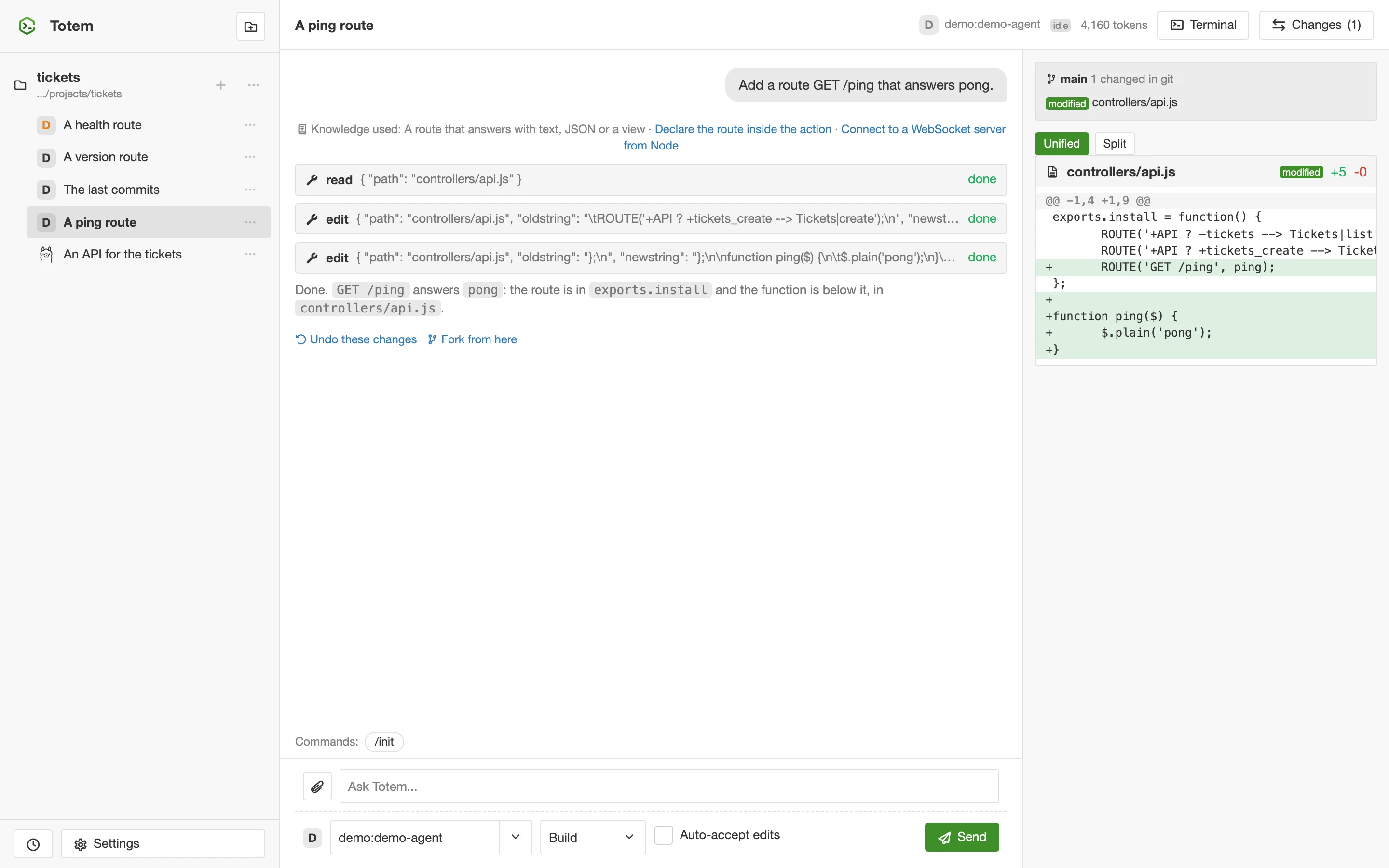
bashwithgit status*, for example). Rules can also deny. - Changes. The panel lists the files that the agent changed, with the diff. Undo restores them, Redo brings them back. If the folder is a git repository you also see its branch and its changed files.
Models#
Totem has no model of its own: you add providers in Settings.
- On your computer. Look for servers on this computer finds Ollama, LM Studio and llama.cpp and lists their models with the context window and what each can do (tools, reasoning).
- Cloud and others. OpenRouter, OpenAI, Anthropic, Gemini, Groq, Mistral, DeepSeek, xAI, Together AI, Fireworks AI, Cerebras, NVIDIA NIM, Hugging Face, Moonshot AI, Cohere, vLLM and LiteLLM are in the list; "Other" takes any OpenAI-compatible server. The formats of Anthropic and Gemini are written and tested against simulators, not yet with real keys.
- Reasoning. A model that thinks gets a Reasoning control (off, low, medium, high), and its thinking is shown in the answer.
- Small models. Totem is made to work with them. For Ollama it asks for a real context window (16384 tokens or more: Ollama's own default silently cuts the instructions), a low temperature, a stop to loops, and it asks again without tools when a model says nothing.
The cost of each step is shown when the model has a price; a free or local model costs nothing.
Commands, instructions and skills#
/initstudies the project and writes anAGENTS.mdwith what a person needs to know to work on it./new <name>creates the files of a new Total.js 5 application in the folder.- Your own commands. A Markdown file in
.totem/commands/becomes/name. - Instructions.
AGENTS.md(and the files in.totem/instructions.json) are given to the model in every session of the project. - Skills and agents.
.totem/skills/and.totem/agents/add what the model can load or delegate to. - Attachments. The clip attaches images and text files to a prompt; you can also paste or drop them on the chat.
The terminal#
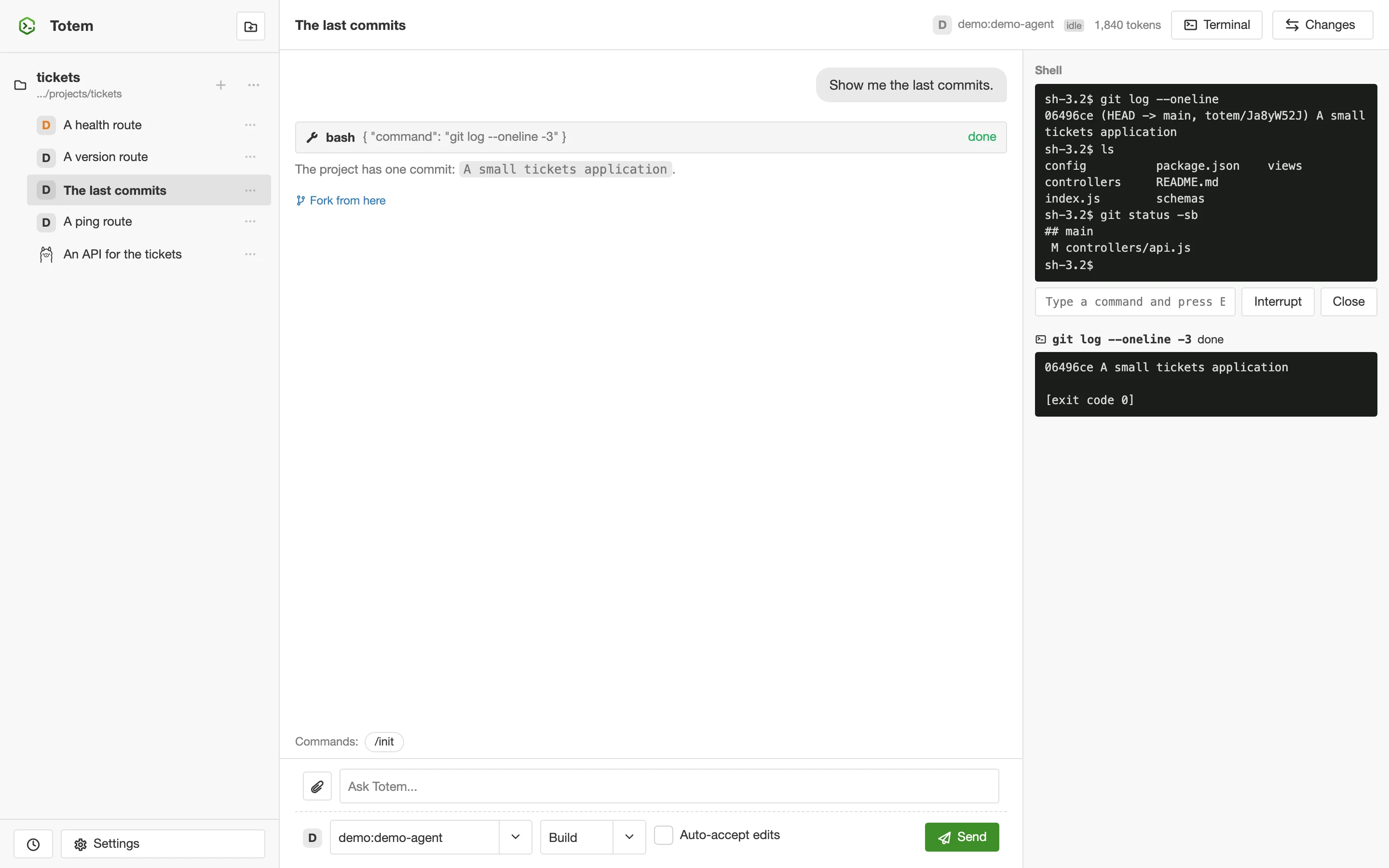
The Terminal panel has two parts. Commands lists what the agent ran, and the background ones with their output. Shell is a real shell, in the project folder, that you open with Open shell. It stays alive when you reload the page. It works on macOS and Linux (and in the Docker image).
Work in parallel#
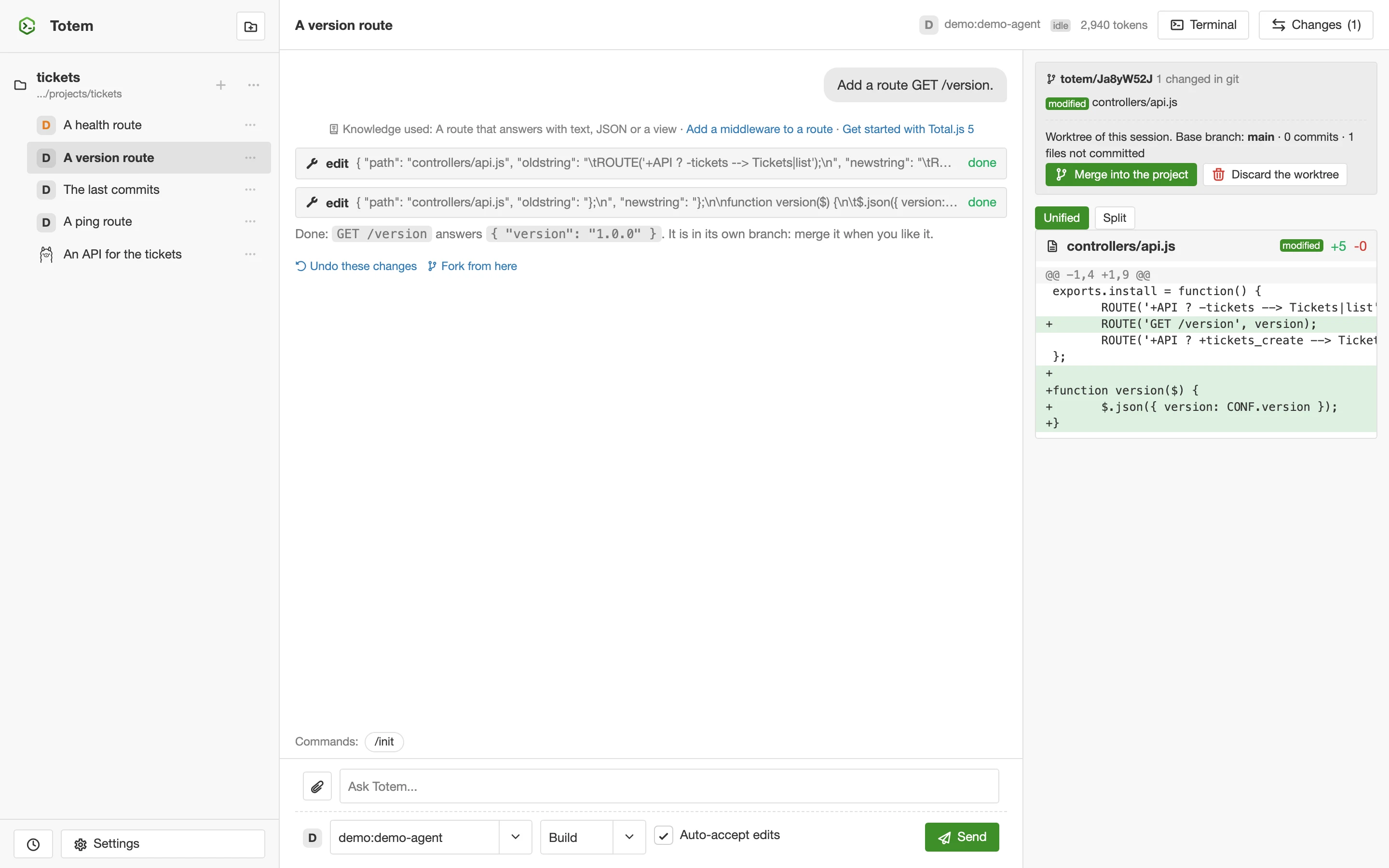
Worktrees. New session in a git worktree gives the session its own checkout of the project on its own branch, so two sessions never change the same files. When you like the result, Merge into the project commits what the session left and merges the branch (a conflict is undone and the project stays as it was); Discard the worktree throws it away. Totem never deletes work by itself.
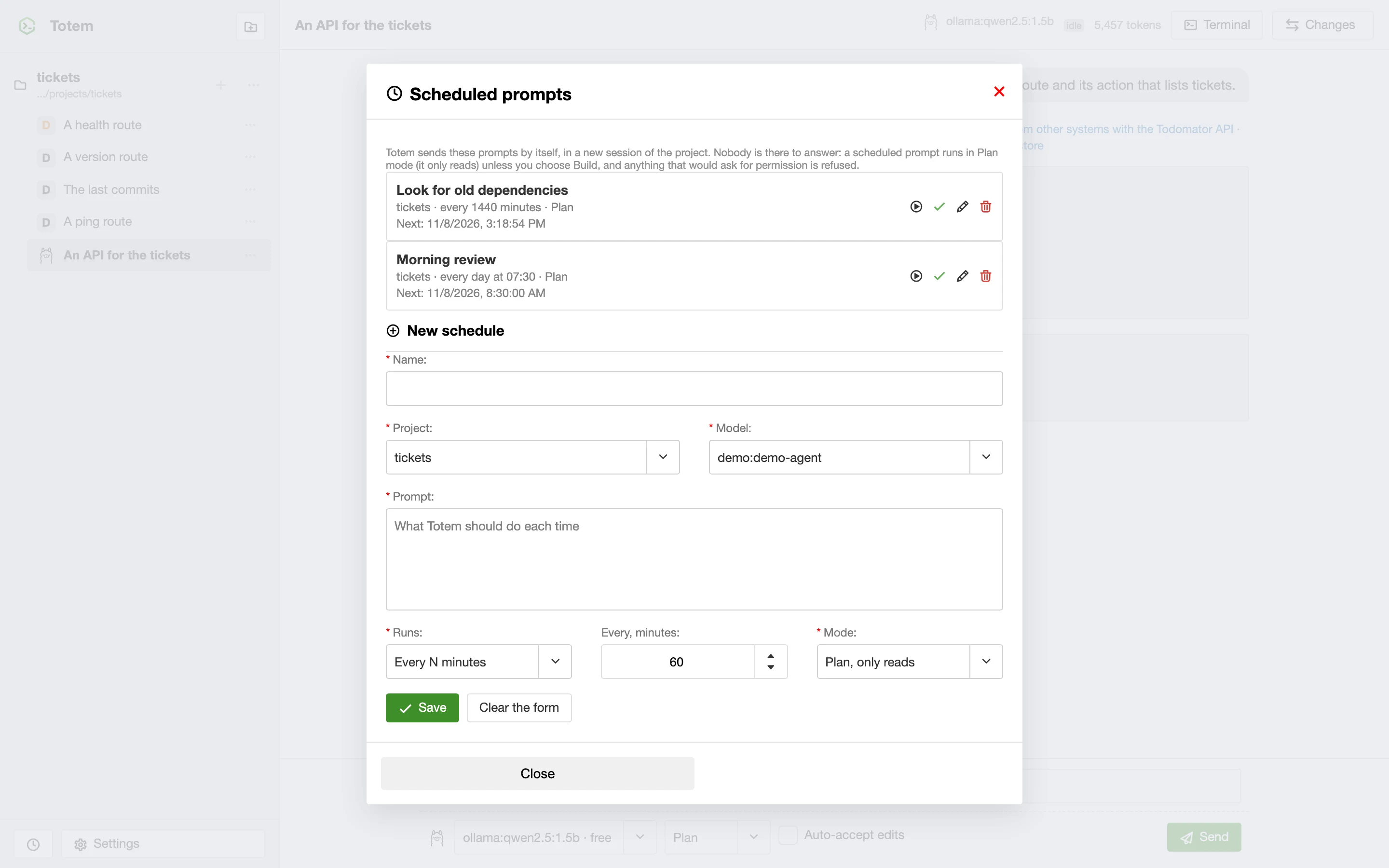
Scheduled prompts. The clock next to Settings opens the list of prompts that Totem sends by itself, every N minutes or every day at a time, each in a new session. Nobody is there to answer, so they run in Plan mode (they only read) unless you choose Build, and anything that would ask for permission is refused.
Totem and other tools#
- MCP client. The servers in
.totem/mcp.jsongive the agent more tools and prompts. Starting a server that a project file defines asks first. - MCP server. Totem can be an MCP server for other agents, to list projects and sessions and send prompts. It is off by default (
$mcp : trueinconfig) and asks for the token. - Command line.
totem run "prompt"runs one prompt without the interface, for scripts.
Settings and keys#
- Appearance. Auto (follows the system), light or dark.
- Language. English, Spanish and Slovak.
- Shortcuts.
Escstops the agent,Alt+Dopens the Changes.
The file config holds the settings of the application; the README has the table of the ones you will touch.