
Getting started
This page goes from nothing to your first session with Totem. It takes about five minutes, and most of it is the download of a model.
What you need#
- Node.js 22 or newer, to run Totem from npm. With Docker you do not need it: see Docker.
A model. Totem works with the one you choose:
- On your computer, with Ollama or LM Studio. Nothing leaves your machine.
- In the cloud, with a key of OpenRouter, OpenAI, Anthropic, Gemini or any of the providers in the list.
- A project in a folder. It can be a Total.js application or anything else; Totem knows Total.js best.
Install and start#
npm install -g totaljs-totem
totem
totem starts Totem in the background, shows where it listens (<http://127.0.0.1:8000>), opens the browser and gives you the terminal back. To use another port, totem 4524. To stop it, totem stop. The command line has the rest.
Installed from npm, your data (providers, projects, sessions) lives in a folder of your user and not in the package: totem config prints it. An update never touches it.
Add a model#
Press Settings at the bottom left.
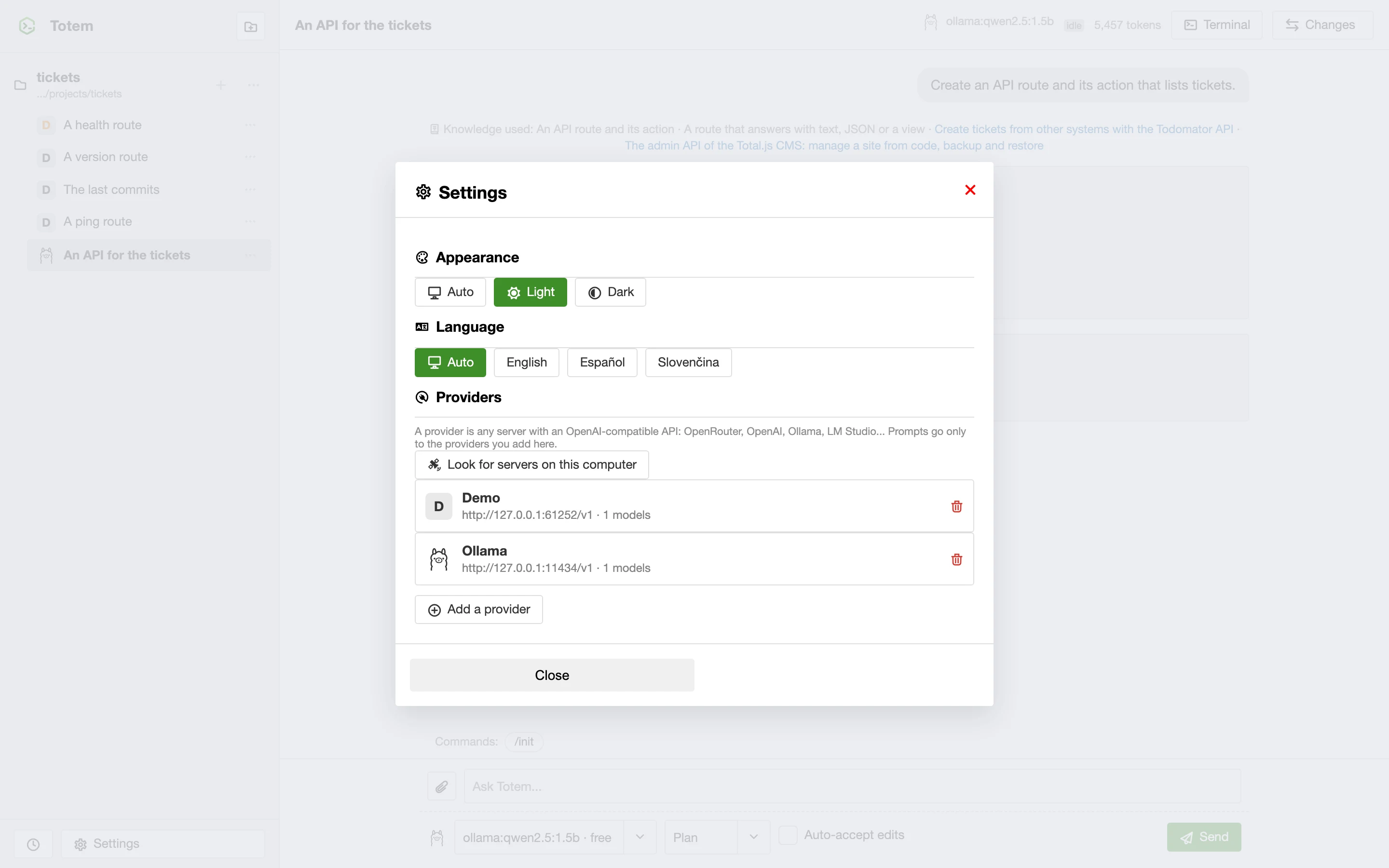
- A model on your computer. Install Ollama, pull a model (
ollama pull qwen2.5-coderis a good start), and press Look for servers on this computer. Totem finds Ollama, LM Studio and llama.cpp, lists their models and tells you which can call tools or think. Press Add. - A cloud model. Add a provider, choose it from the list, paste the key and choose the models you want. The key is stored encrypted on your computer and never shown again.
Prompts go only to the providers you add here.
Open a folder#
Press the folder button at the top of the list of projects and choose the folder of your project. Totem works inside it and cannot leave it. The project appears in the list; press + to start a session.
Ask something#
Write in the box at the bottom and press Send. Choose the model in the first selector and the mode in the second:
- Plan only reads. The agent looks at your code and answers or describes what it would do. Nothing changes.
- Build can change things, and it asks first.
Try this in Plan mode, in a Total.js project:
Create an API route and its action that lists tickets.
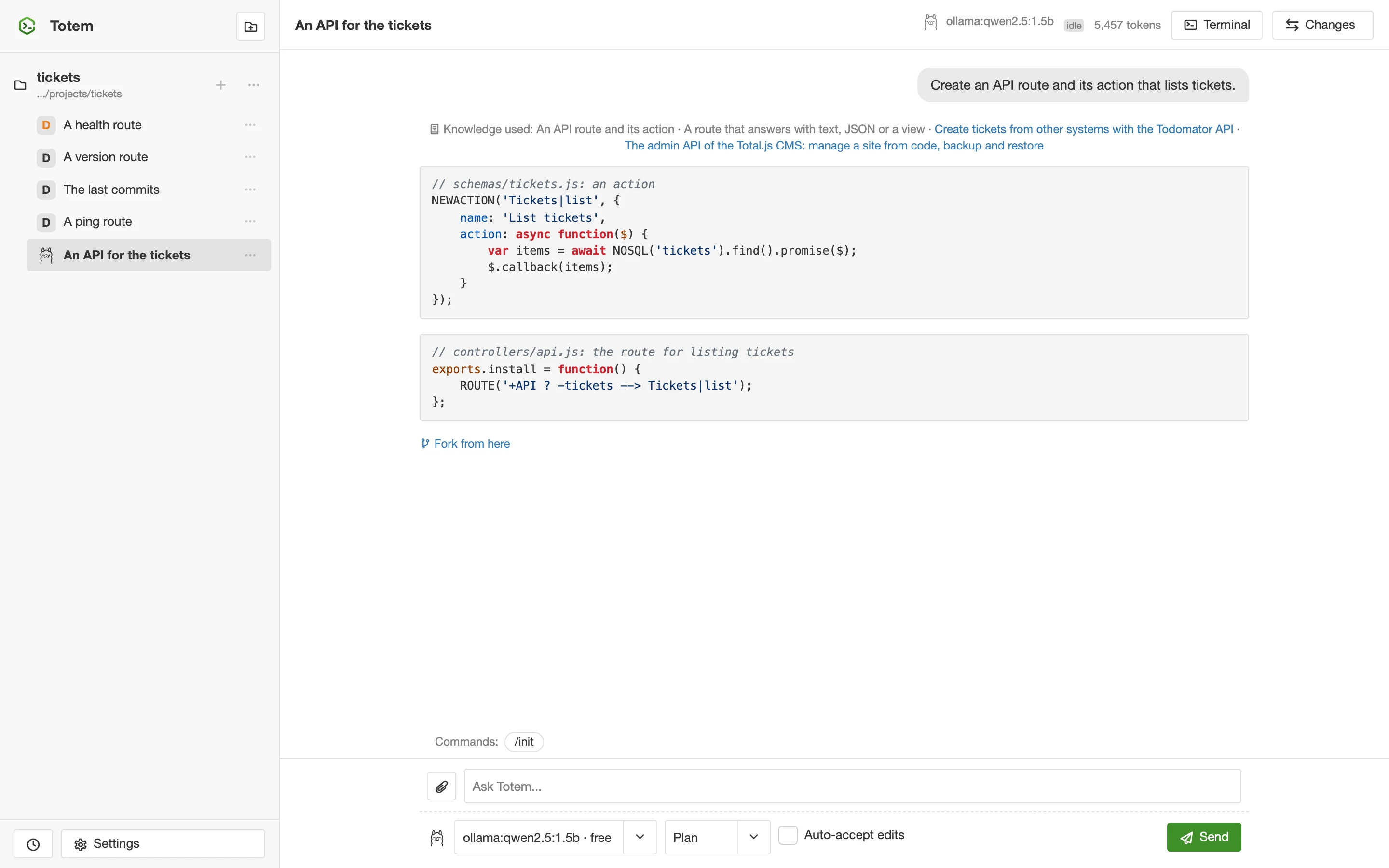
The line "Knowledge used" says what Totem put in front of the model: its own recipes and the pages of Forge. Every code box has a button to copy it. The first time, Totem asks to connect to Forge: Allow once or Always allow, as you prefer.
Let it change your code#
Switch to Build and ask for a change: Add a route GET /ping that answers pong. Totem asks before it edits a file:
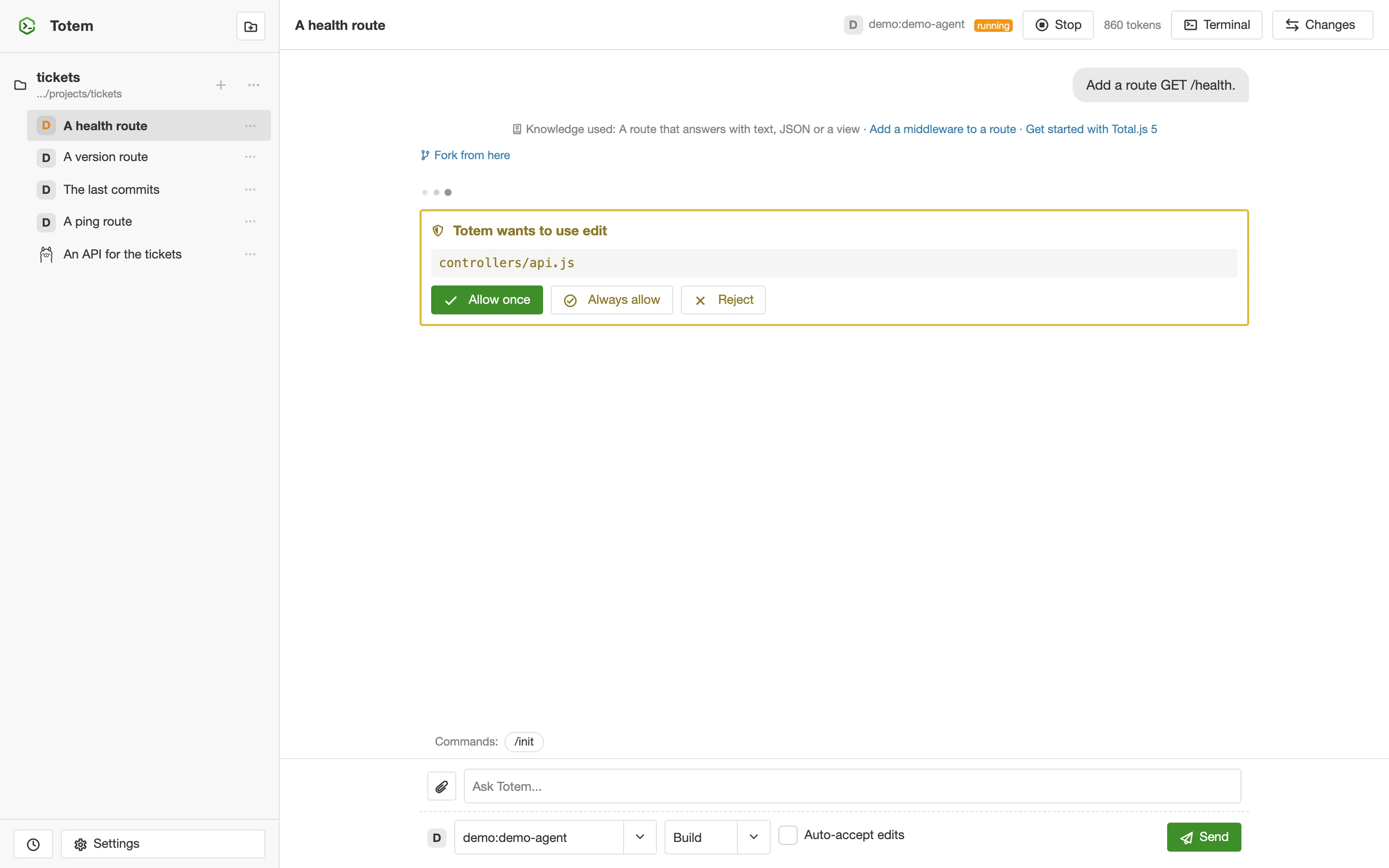
Allow once lets this change through, Always allow remembers it for this project, Reject tells the model that you do not want it. The box Auto-accept edits lets file changes through without asking for the session; commands still ask.
When the step ends, press Changes to see what happened:
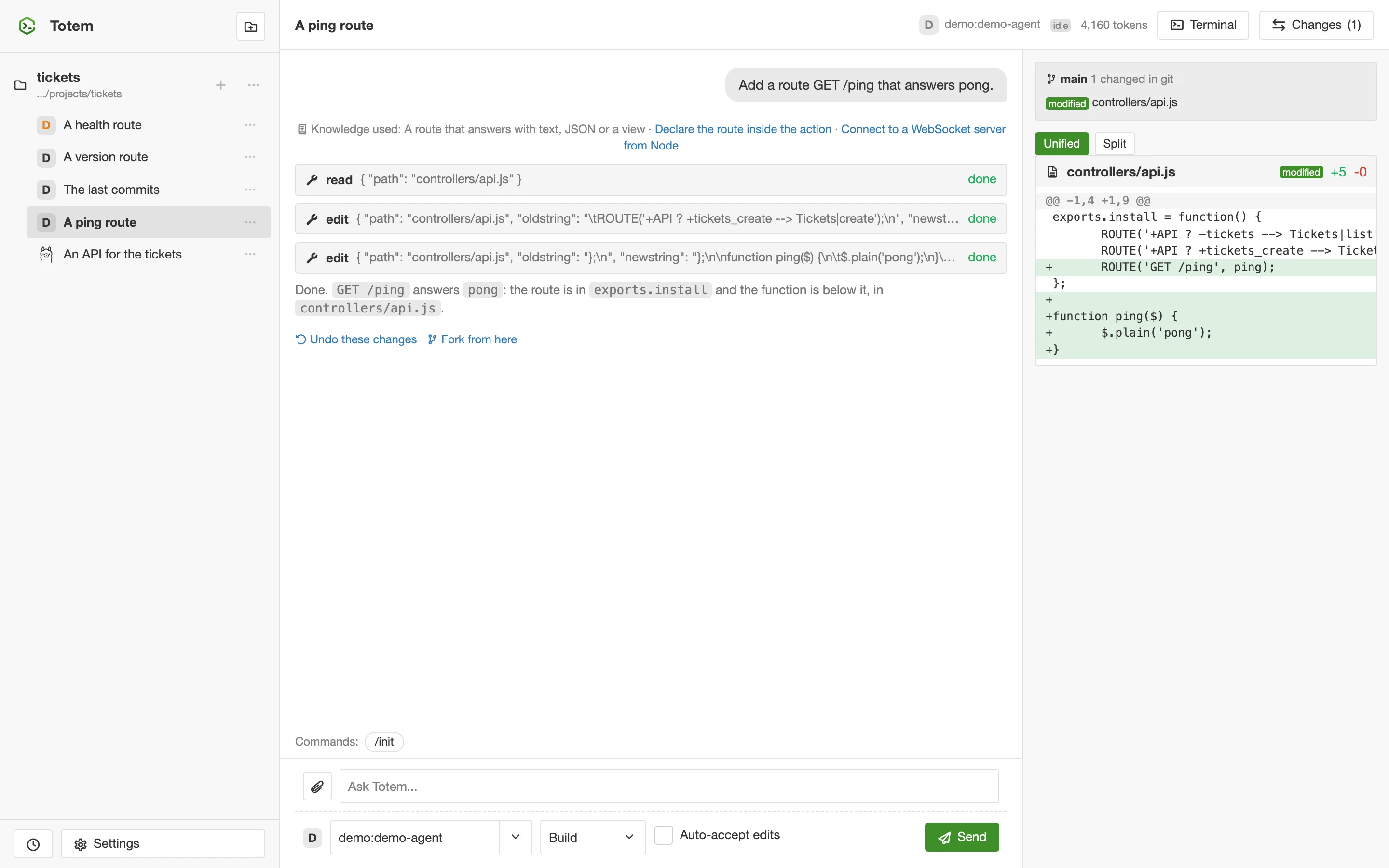
Every file has its diff (unified or split). Undo these changes puts the files back as they were, and Redo brings the changes again.
What next#
- The user guide explains every part: projects, tools, permissions, models, the terminal, worktrees and scheduled prompts.
- Help has the answers to the usual problems.
- If you write Total.js, read how Totem knows it.